amicaassist@gmail.com
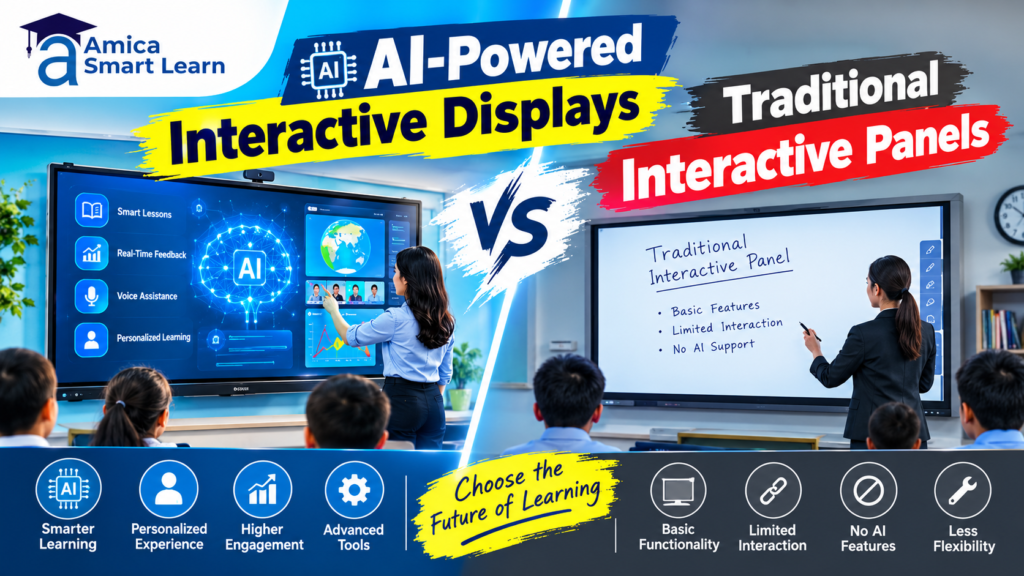
The debate around AI-Powered Interactive Displays vs Traditional Interactive Panels comes down to where the intelligence lives. An AI-powered interactive display has a built-in NPU and AI software that can listen, see, translate, track the speaker and create lesson content on the panel itself. A traditional interactive panel is a sharp 4K touchscreen that displays and annotates whatever you feed it, while the smart work happens on a laptop or not at all.
Indian schools and institutes face this choice in 2026 as AI panels go mainstream. At Amica Smart Learn, we supply both types from Teachmint, Maxhub, Evota, Promark and Brio Touch in 65, 75 and 86-inch sizes, with live demos at our centres in Dehradun, Delhi, Kanpur and Rudrapur. This guide compares them feature by feature, so you buy for the next five years, not the last five.
An AI-powered interactive display is an interactive flat panel (IFP) with on-device artificial intelligence. It pairs a 4K touchscreen with a neural processing unit (NPU), an AI camera, microphones and AI teaching software. The result is a board that understands voice, faces, handwriting and language, not just touch.
A good example is Teachmint X, which runs the EduAI assistant on EDLA-certified Android 14 with an octa-core CPU, 8GB RAM and an AI-powered 48MP 4K camera.
A traditional interactive panel is a large 4K touchscreen with a built-in Android system, whiteboard app and screen-mirroring software, but no dedicated AI hardware. It replaces chalkboards and projectors and supports multi-touch writing. Any “intelligence” comes from a connected laptop or OPS PC.
Traditional panels are proven and affordable. A well-built model such as the MaxHub Interactive Flat Panel offers under 40ms writing latency, a 2.0GHz quad-core CPU and 4GB RAM, plenty for everyday teaching. See our guide to the interactive flat panel for classroom teaching.
Both share a 4K touchscreen; the difference is what the panel does on its own.
| Feature | AI-Powered Interactive Display | Traditional Interactive Panel |
|---|---|---|
| Processor | CPU + GPU + dedicated NPU | CPU + GPU only |
| Teaching assistant | Built-in AI for quizzes, summaries and mind maps | None; content prepared manually |
| Voice control | Natural voice commands | Touch, remote or basic voice search |
| Camera | AI camera with auto-framing and speaker tracking | Optional fixed webcam |
| Translation | Live captions and translation | Needs third-party apps |
| Handwriting | AI text, formula and shape recognition | Smooth ink, basic shape recognition |
| Security | EDLA certification, multi-user sign-in | Varies; often one shared login |
| Best for | Hybrid classes, multilingual rooms, large campuses | Tight budgets, simple display and annotation |
The NPU is the real dividing line. IBM explains that a neural processing unit is a chip built to accelerate AI workloads such as speech recognition, language processing and object detection in real time, at low power. On a panel, voice, vision and translation then run on the device, not the cloud.
Chips such as Rockchip’s RK3576 carry a 6 TOPS NPU, enough for live captions and camera tracking while the whiteboard keeps running smoothly. A traditional panel pushes these jobs onto its CPU or a laptop, or skips them.
AI-powered displays add three ways to interact beyond touch:
Traditional panels rely on touch, a stylus and a remote, which keeps the teacher tied to the board.
An AI interactive display can turn a topic into a quiz, a mind map or a lesson outline in seconds. On Teachmint X, EduAI generates quizzes, classroom activities and homework, and its text-to-speech tool reads selected text aloud.
A school quoted on Teachmint’s product page reports saving over 50% of preparation time on homework, quizzes and lessons.On a traditional panel, the same material is prepared on a laptop, so preparation time stays the same.
Indian classrooms are multilingual, and the National Education Policy 2020 encourages bilingual teaching for students whose home language differs from the medium of instruction. AI displays support this with live captions and translation between English, Hindi and other Indian languages, depending on the model.
Traditional panels need browser tools on a connected laptop for this, usually with a delay. For schools serving mixed-language students in Uttarakhand, Uttar Pradesh and Delhi, this feature alone can justify the upgrade.
For hybrid classes, AI cameras offer auto-tracking, which follows a moving speaker, and auto-framing, which fits every participant into the shot, as seen in the Evota 4K camera range. Teachmint X adds a 48MP 4K camera, an 8-mic array and 40W speakers, so online classes need no extra equipment.
Traditional panels have no camera or a fixed webcam. Institutes running live classes on interactive flat panels often add a 4K PTZ camera, which Amica Smart Learn supplies with its studio setups.
Touch quality depends on the model more than on AI. Look for zero-bonding glass, low writing latency and plenty of touch points. Evota panels support up to 40 simultaneous touch points, and Maxhub quotes writing latency under 40ms.
AI adds handwriting-to-text, formula recognition, shape correction and palm rejection. On a traditional panel, tidying diagrams or converting notes stays manual.
Both types support wireless casting from phones and laptops, plus HDMI and USB-C. Maxhub’s single USB-C port, for example, carries 65W charging, video, audio, touch and internet together.
AI-ready displays usually add Google EDLA certification, which gives direct access to Google Play, Drive, Meet and Classroom. Samsung notes that displays without EDLA can run Google apps only while mirroring from another device. Brio Touch covers the gap in its EDLA vs non-EDLA guide. Also check for Wi-Fi 6 support.
An AI display runs cameras and microphones inside classrooms, so privacy matters more. India’s Digital Personal Data Protection Act, 2023 and its Rules, notified in November 2025, require verifiable parental consent before a school processes children’s personal data. Prefer AI panels that process voice and video on the device, include a physical camera shutter, and let admins disable AI features.
EDLA-certified panels must receive security updates for at least two years, according to Samsung. Multi-user profiles with NFC sign-in, as on Teachmint X, keep each teacher’s files separate. Many traditional panels use one shared login instead.
AI-ready displays usually ship with a device management console (MDM or DMS) that lets IT staff push apps, schedule power and broadcast announcements remotely. Clevertouch notes that EDLA panels can be remotely locked or wiped if stolen.
Traditional panels often need a technician to update each room by USB. Ask Amica Smart Learn to demo the management console before you order.
AI features need more memory and a newer OS. Typical 2026 specs, based on Teachmint X and Maxhub:
| Specification | Typical AI-Powered Display | Typical Traditional Panel |
|---|---|---|
| Operating system | EDLA-certified Android 14 or later | Older Android, often non-EDLA |
| CPU | Octa-core | Quad-core, around 2.0GHz |
| AI accelerator | Dedicated NPU (around 6 TOPS) | None |
| RAM / storage | 8GB / 128GB | 4GB / smaller storage |
| Camera and mics | Built-in AI 4K camera and mic array | Optional or external |
| OPS slot for Windows | Usually available | Usually available |
AI can cut power use, not just add features. Some AI models sleep when a room empties, and ambient light sensors adjust brightness; Maxhub panels include one. TÜV low blue light and flicker-free certification also protect students’ eyes.
A traditional panel left on after school simply wastes power. Whichever type you choose, check the rated backlight life (commonly around 50,000 hours), the warranty period, and how many years of software updates the brand promises.
An AI-powered display costs more upfront, but total cost of ownership often narrows the gap.
| Cost Factor | AI-Powered Display | Traditional Panel |
|---|---|---|
| Purchase price | Higher | Lower |
| Camera, mics and speakers | Usually built in | Often bought separately |
| Teacher preparation time | Reduced by AI tools | Unchanged |
| Software subscriptions | Some AI features may need a plan | Rarely needed |
| IT maintenance | Remote and centralised | On-site visits per room |
| Useful life | Longer, thanks to ongoing updates | Shorter once the OS stops updating |
Prioritise these features, ranked by impact on daily teaching:
Our article on smart classrooms in 2026 explains why support decides whether panels get used.
Choosing between AI-Powered Interactive Displays vs Traditional Interactive Panels is really a choice between a screen and a teaching assistant. On a tight budget, a traditional panel still beats chalk and projectors. If you want hybrid-ready classrooms, multilingual support, less preparation and easier IT management, an AI-powered display is the smarter long-term investment.
Talk to Amica Smart Learn for a consultation and live demo, or read how we support schools as a Brio Touch digital board provider in Dehradun. More guides are on the Amica Smart Learn blog.
An AI-powered display has a built-in NPU and AI software for voice control, live translation, smart cameras and content creation. A traditional panel offers touch, annotation and screen sharing, and depends on a laptop for anything smarter.
Yes, if you run hybrid classes, teach in several languages or want to cut preparation time. For basic video and annotation, a traditional panel is still good value.
Partly. An OPS PC or cloud AI app adds some features, but not on-device voice processing, an AI camera or integrated management.
NPU features such as camera tracking and some voice commands work offline. Content generation and Google apps need internet.
They can be. Choose EDLA-certified panels with on-device processing and admin controls, and follow DPDP Act consent rules.