
amicaassist@gmail.com
One smart board. Two operating systems. Get the power of Android apps and full Windows software in a single interactive board — built for every classroom in Meerut.
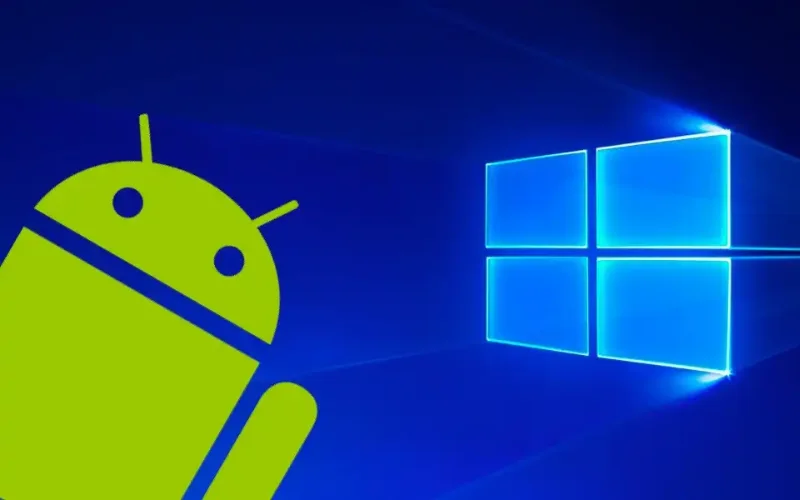
Moving between Android and Windows takes just one tap on the screen. No rebooting, no shutting down — the switch is instant and smooth.
Both operating systems are fully built into the smart board. Schools save the cost of buying and maintaining separate laptops or PCs for the classroom.
Use Android for YouTube, internet browsing, Google Classroom, teaching apps and all online content. Fast, simple, and familiar for every teacher.
Need MS Office, school management software, Tally or any other Windows program? Simply switch to Windows and use any software just like a full desktop PC.
See why a Dual OS smart board is the smartest choice for schools and institutes in Meerut compared to Android-only or Windows-only boards.
| Feature | Android Only | Windows Only | Dual OS (Android + Windows) |
|---|---|---|---|
| Teaching Apps & Internet | ✅Yes | ❌Limited | ✅Full Support |
| MS Office & PC Software | ❌No | ✅Yes | ✅Full Support |
| School ERP / Tally | ❌No | ✅Yes | ✅Full Support |
| YouTube & Streaming | ✅Yes | ⚠️Needs Browser | ✅Best Experience |
| Google Classroom | ✅Yes | ⚠️Via Browser | ✅Native App + Browser |
| Needs Separate Laptop | ❌For Windows work | ❌For App work | ✅No – All-in-one |
| Suitable for All Schools | ⚠️Partial | ⚠️Partial | ✅100% Suitable |
| Value for Money | ⚠️Need extras | ⚠️Need extras | ✅Best Value |
Packed with everything a modern classroom needs — from crystal-clear display to interactive touch, wireless sharing, and complete software freedom.
Four times sharper than Full HD. Every diagram, equation, map and video appears perfectly clear on screen — even students in the last row can read everything without any strain.
Switch between Android and Windows in a single tap without rebooting. Move from a YouTube lesson on Android straight to a PowerPoint on Windows — completely seamlessly.
Up to 20 simultaneous touch points with zero lag. Teachers write as smoothly as on paper. Multiple students can interact with the board at the same time during group activities.
Connect to school internet wirelessly on both OS. Teachers can also mirror any phone, tablet or laptop screen onto the big smart board — no cables required.
Android and Windows have completely separate storage and settings. Files and apps on one OS do not interfere with the other. Everything stays organised and secure.
Low blue-light technology and anti-glare coating protect students' eyes during long school hours. No uncomfortable reflections even in bright, sunlit Meerut classrooms.
Our Dual OS smart boards are designed for every type of educational institution in Meerut — from primary schools to professional coaching centres.
Perfect for all boards and all classes from 1 to 12. Use Android for fun interactive lessons and Windows for detailed subject software.
Run competitive exam preparation classes with full Windows software, PDF annotation tools, and Android quiz apps — all on one board.
Higher education needs full PC-level software. Switch to Windows for research, presentations and ERP — or Android for quick online access.
Teach MS Office, Tally, coding and other Windows software on the big screen, then switch to Android to demonstrate mobile apps and online platforms.
We are not just a product supplier — we are your complete smart classroom partner in Meerut, from selection and installation to ongoing support.
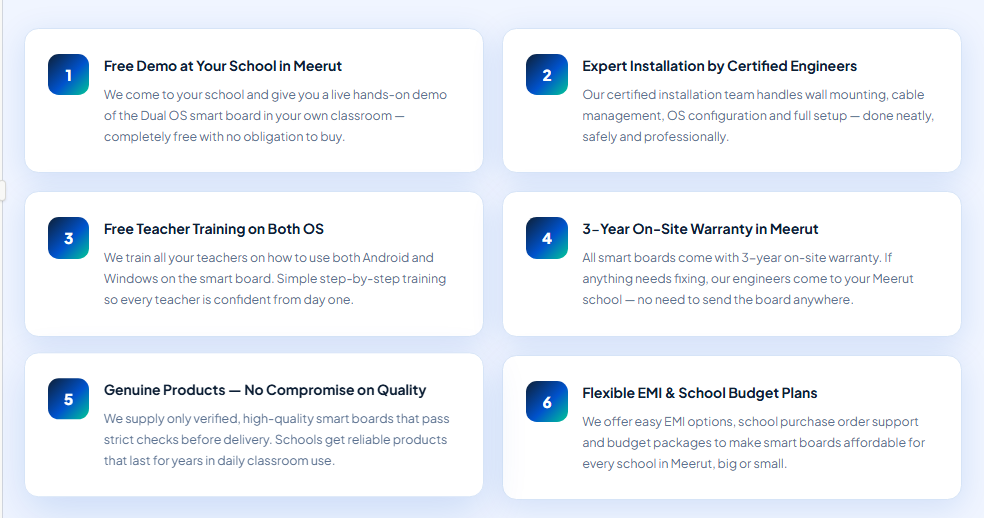
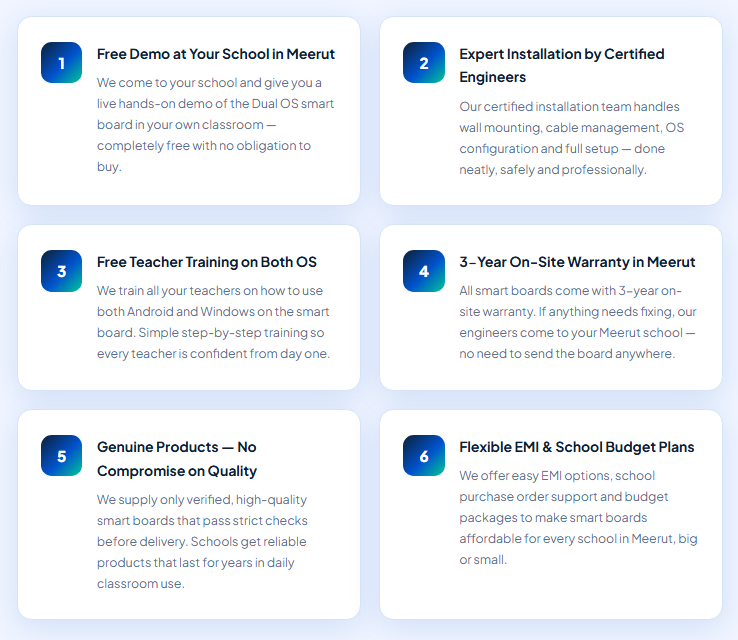
Simple, fast and hassle-free. Here is exactly how we get your smart board running in your Meerut school.
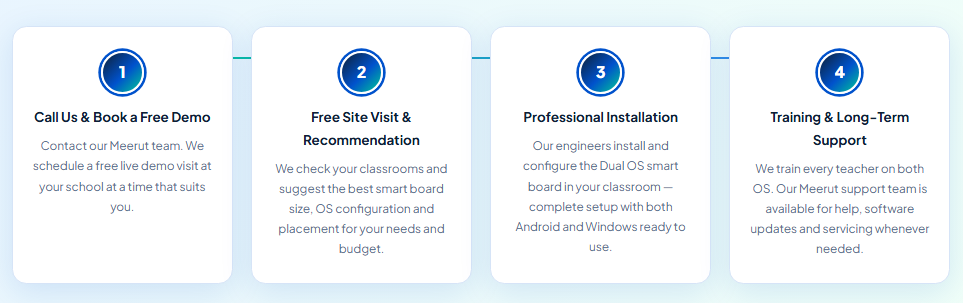
From Meerut Cantonment to Shastri Nagar, we deliver and install smart boards in every part of Meerut and nearby districts.
Common questions from schools and institutes in Meerut about Dual OS Android and Windows smart boards.
A Dual OS smart board has both Android and Windows operating systems installed inside the board itself. You can switch between them with a single tap on the screen. Android runs teaching apps, YouTube and internet while Windows runs MS Office, school ERP and any PC-based software. No separate laptop or computer is needed.
The price depends on screen size (55, 65, 75 or 86 inch), RAM, storage and quantity. Amica Smart Learn offers competitive pricing for Meerut schools with full installation, teacher training and warranty included. Contact us for a free, customised quote with no hidden charges.
Yes. When you switch to Windows on the Dual OS smart board, it works exactly like a full Windows desktop PC. You can install and run MS Office, school ERP, Tally, attendance software, library management software and any other Windows-based program without any extra device.
No. That is the biggest advantage of a Dual OS smart board. Both Android and Windows are fully built in. You do not need to connect any laptop or PC. The smart board itself handles everything — saving schools the cost of buying and maintaining extra devices for the classroom.
Yes, absolutely. Amica Smart Learn provides complete professional installation in Meerut including wall mounting, cable management and full OS configuration for both Android and Windows. After installation, our team provides free hands-on training to all teachers. We also offer 3-year on-site warranty and ongoing technical support.
Yes. Our Dual OS smart board supports Hindi language on both Android and Windows. It is suitable for CBSE, ICSE, UP Board and any Hindi-medium school in Meerut. The Android system comes pre-loaded with Hindi teaching content and the Windows system supports all Hindi fonts and software.