
amicaassist@gmail.com
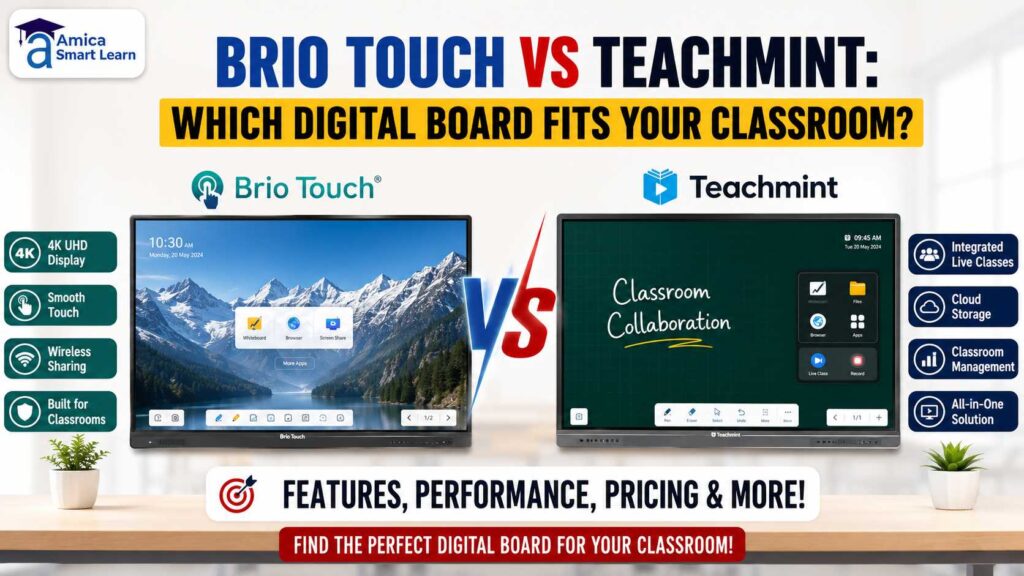
If you are planning to buy a digital board for your school, college, or coaching institute, you have probably come across two popular names — Brio Touch and Teachmint. Both are widely used in Indian classrooms today, and both promise to make teaching easier. But when it actually comes down to choosing one, most school owners and principals get stuck with the same question: Brio Touch vs Teachmint — which one should I actually buy?
In this blog, we will break down the real differences between the two, in plain and simple language, so you can make a confident decision without getting lost in technical jargon. At Amica Smart Learn, we install and support both Brio Touch and Teachmint digital boards across Dehradun and other cities, so this comparison is based on what we actually see on the ground — not just spec sheets.
Before we go deeper, let’s quickly answer the core question: in the Brio Touch vs Teachmint debate, Brio Touch wins on hardware and display performance, while Teachmint wins on software and school management features. Keep reading to see which of these matters more for your classroom.
Brio Touch is an interactive flat panel brand that focuses heavily on the hardware side of things. It is Google EDLA certified, which means the Android experience on the board is smooth, secure, and fully compatible with Google apps. Brio Touch boards usually come with strong touch response, clear 4K display, and dual OS options (Android and Windows), so teachers can switch between apps and presentations without any lag.
In simple words, if you care most about screen clarity, smooth touch writing, and a stable device that just works every day, Brio Touch is built with that in mind. Many schools that install Brio Touch digital boards in Dehradun choose it specifically for this reason — it feels less “technical” and more like a reliable teaching tool.
Teachmint, on the other hand, is known more for its software ecosystem than just the hardware. Along with the digital board, Teachmint offers a connected classroom experience — attendance tracking, fee management, teacher apps, live class tools, and reporting, all built for the Indian school system. So when people search for Teachmint, they are often not just asking about a screen, they are asking about a complete school management and teaching platform that happens to run on a digital board.
This makes Teachmint a good fit for schools that want more than just a smart board — they want software that helps run day-to-day school operations too. If you want to understand this side of Teachmint in more depth, we have already covered it in our blog on how Teachmint is changing classrooms.
| Feature | Brio Touch | Teachmint |
| Core strength | Display quality and touch performance | Software and school management tools |
| Operating system | Android, with Dual OS (Android + Windows) in several models | Android-based, connected classroom platform |
| Certification | Google EDLA certified | Google EDLA certified |
| Teacher experience | Feels close to a traditional whiteboard with added digital features | Feels like a connected classroom system with learning tools built in |
| Best suited for | Schools wanting a reliable teaching display | Schools wanting attendance, fee, and reporting tools included |
| Internet dependency | Works well even with average connectivity | Performs best with stable, fast internet |
| Support and installation | Requires proper calibration by an experienced installer | Requires proper calibration by an experienced installer |
When it comes to pure hardware — screen brightness, touch accuracy, and display sharpness — Brio Touch generally has a slight edge because that is its main focus area. Teachers who mostly write, draw diagrams, and show videos tend to notice smoother performance on Brio Touch boards.
That said, Teachmint’s hardware is not weak either. It is built to comfortably handle everyday classroom use, and most schools do not face any major hardware complaints. The real difference shows up once you start using the board beyond just display purposes.
This is where Teachmint clearly stands out. Along with the board, you get a teacher app, student attendance system, digital fee collection, and reporting dashboards. For schools that are still managing attendance registers and fee records manually, this can save a lot of time and reduce paperwork.
Brio Touch also supports common teaching apps and screen sharing, but it does not come packaged with a full school management system in the same way. So if software is your priority, Teachmint has the advantage here.
For smaller coaching institutes that mainly need a clear display for teaching — writing formulas, showing PDFs, playing recorded lectures — Brio Touch is usually the simpler and more practical choice. There is less to manage, and teachers can start using it from day one without needing extra training on management software.
Institutes that don’t need attendance tracking, fee automation, or parent apps often find Brio Touch to be the lighter, more focused option.
If your school regularly runs hybrid classes — some students in the classroom, some joining online — Teachmint’s connected classroom tools genuinely help. Live class features, recorded sessions, and app-based access for students make it easier to manage teaching across both formats from a single system.
Brio Touch can also handle hybrid teaching through screen sharing and video tools, but Teachmint’s software layer is built specifically with this use case in mind.
Pricing for both brands depends on screen size (65″, 75″, or 86″), touch points, and whether you choose single OS or dual OS. In most cases, the hardware-only Brio Touch models can work out slightly more budget-friendly if you don’t need the extra software layer. Teachmint’s pricing usually reflects the added value of its management software, so it can cost a bit more overall — but you are also paying for tools that would otherwise need separate apps or manual work.
Our honest advice: don’t just compare price tags. Compare what you actually need. A cheaper board that doesn’t match your school’s requirements ends up costing more in the long run through underuse or replacement.
This is an important, often ignored question. Many schools in smaller towns and semi-urban areas still deal with unstable internet. In such cases, a board that works well offline — for writing, presentations, and local content — matters more than cloud-based features. Brio Touch tends to perform more consistently in low-bandwidth situations since its core strength is the local display and touch experience, not constant cloud syncing.
If your institute has stable, fast internet and you want to make the most of connected features, Teachmint will deliver more value.
Here’s a simple way to decide:
There is no one-size-fits-all answer here. The right choice depends on your school’s size, internet stability, budget, and whether you want software support built in or prefer to keep things simple with just the hardware. As a Google EDLA certified smart classroom partner, Amica Smart Learn helps institutions across Uttarakhand and UP make this decision based on their actual classroom needs, not just brand names.
Both brands also support India’s shift toward digital-first education, which aligns with the goals laid out in the National Education Policy 2020, and with the government’s broader push under the Digital India initiative. Schools can also refer to guidelines published by the Ministry of Education, Government of India when planning digital infrastructure upgrades.
We asked several teachers using both systems in Dehradun classrooms, and the feedback was fairly consistent. Teachers who mostly lecture, write on the board, and show video content preferred Brio Touch for its smoother pen response and brighter display. Teachers who also handle attendance, homework tracking, or parent updates leaned toward Teachmint because it reduced their paperwork significantly.
This is an important part of the Brio Touch vs Teachmint discussion that often gets missed — the “best” board is really about which one matches your teaching staff’s daily workflow, not just which one has better specifications on paper.
We understand that reading a comparison online is different from actually using a board in your own classroom. That’s why, before recommending Brio Touch or Teachmint to any institute, our team looks at a few practical things: your classroom size, number of students per session, internet reliability at your location, your budget, and whether your school wants software support or just a reliable display.
We also provide on-site demos wherever possible, so your teachers can try both boards before you commit. This hands-on approach removes the guesswork from the Brio Touch vs Teachmint decision and ensures you invest in a system your staff will actually enjoy using every day.
Still not sure which one fits your classroom? You don’t have to figure this out alone. Talk to our team at Amica Smart Learn — we’ll understand your classroom size, budget, and requirements, and recommend the right digital board without any pressure to buy a specific brand.
📞 Call us at +91 9125161262
✉️ Email: amicaassist@gmail.com
📍 Visit us at Roopa Tower, Aman Vihar, Sahastradhara Road, Dehradun.
🌐 Visit Our Website – https://amicasmartlearn.com/
Neither is universally “better.” Brio Touch is stronger on display and touch hardware, while Teachmint offers more built-in school management software. The right pick depends on what your institute actually needs.
Brio Touch models without extra software layers are usually slightly more affordable. Teachmint may cost more because it includes management tools like attendance and fee tracking.
In some setups, schools use a Brio Touch board alongside separate school management software. It’s best to discuss your exact requirement with your installer before finalising this.
Brio Touch is often preferred by coaching institutes that mainly need a clear teaching display without additional management software.