
Complete Digital Board Studio Setup for Jitender Yadav in Rampur, UP: Installation & Best Providers (2026 Guide)
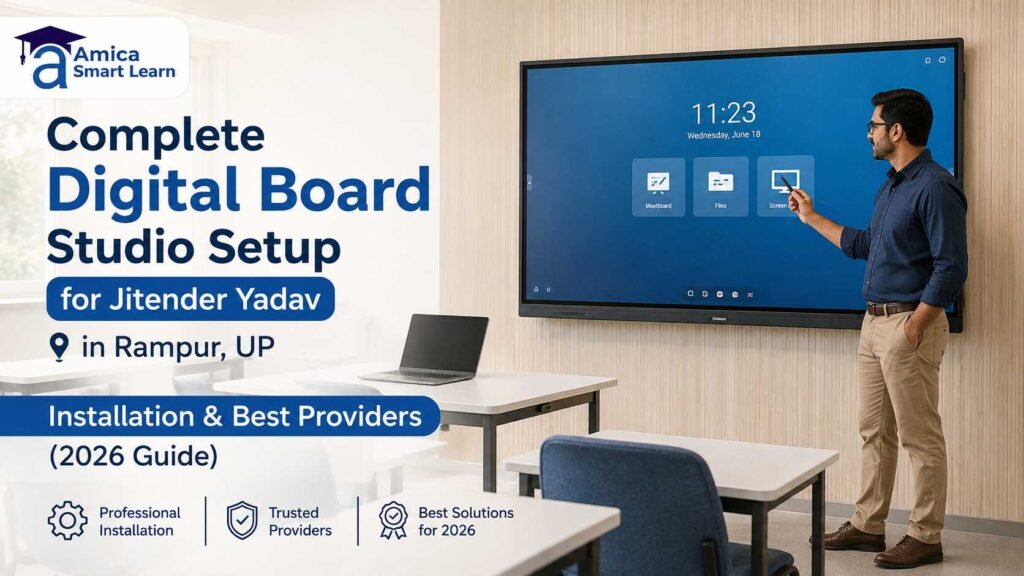
Setting up a smart classroom or a recording studio is a big step, and if you are planning one this year, you probably have a lot of questions. In this guide, we walk you through the full Digital Board Studio Setup for Jitender Yadav in Rampur, UP covering the equipment list, installation process, funding support, and the best providers in Uttar Pradesh. We have written this blog in an easy, question-answer style so that every step is simple to follow — whether you are a teacher, a school owner, or an individual content creator in Rampur.
Why Is a Digital Board Studio Setup Needed in Rampur, UP?
Rampur, like many towns in Uttar Pradesh, is quickly moving towards digital classrooms and content creation studios. Students today expect interactive lessons, and creators want professional recording spaces without traveling to big cities. A proper studio setup with a smart board, camera, mic, and lighting helps schools, coaching centers, and individuals create high-quality video lessons right at home or on campus.
This is exactly the kind of setup Jitender Yadav is building in Rampur — a complete digital board studio setup that includes an interactive flat panel, a computer, a camera, wireless audio, lighting, and mounting stands, all installed under one roof.
What Equipment Is Included in This Setup?
| Equipment | Model / Type | Key Highlights |
| Interactive Flat Panel | Maxhub E3 Android 14 (EDLA) | 75-inch 4K UHD (3840×2160), ΔE ≤2 colour accuracy, 72% NTSC gamut, 40-point touch, ≤5ms response, TÜV low blue light, 8GB+128GB storage, Wi-Fi 6 |
| Secondary Display | MSI Modern MD2412P | 24-inch frameless monitor, USB-C, HDMI, height/tilt/swivel/pivot adjustable, VESA 75×75mm mount |
| Studio PC | Intel Core i5 (12th Gen) | 16GB DDR5 RAM, 512GB SSD, 2TB HDD, 2GB NVIDIA graphics card |
| Microphone | Ahuja Wireless Mic + Cable Mic | Clear classroom and studio audio pickup |
| Wireless Combo | Mouse & Keyboard Set | Cable-free control for the studio PC |
| Board Stand | Digital Board Movable Stand | Height-adjustable mounting for the interactive panel |
| Camera | Evota C12 HD/HULT | High-definition video capture for live and recorded classes |
| Studio Lights | Havens LED Lights (9 units) | Even, flicker-free lighting for on-camera clarity |
| Recording Mic | Mic 700 UL | Dedicated recording-grade microphone |
How Does the Maxhub E3 Android Board Help in Teaching?
The Maxhub E3 is the heart of this setup. It runs on Android 14 with EDLA certification, meaning it is approved for use in educational institutions. Its 75-inch 4K display gives crystal-clear visuals, while the 40-point multi-touch and low-latency response make writing and interacting on the screen feel natural, almost like a real whiteboard. Add to that the TÜV-certified low blue light technology, and teachers or students can work on the panel for long hours without eye strain — an important factor for daily classroom use.
The board also comes preloaded with apps like MAXHUB Class, WPS Office, and a browser, so lessons, presentations, and file sharing can happen without switching devices.
Why Add a Studio PC and Secondary Monitor?
While the digital board handles the teaching part, a powerful studio PC (Intel i5 12th Gen with 16GB RAM and SSD storage) manages video editing, recording software, and multitasking during live sessions. The MSI MD2412P monitor acts as a control screen for the operator, so the person running the studio can manage slides, camera angles, and audio separately from the main board — this is common practice in professional recording setups.
How Do the Camera, Mic, and Lights Work Together?
For anyone recording video lessons or live classes, audio-visual quality matters as much as content. The Evota C12 camera captures sharp footage, the Ahuja wireless mic and Mic 700 UL handle clean audio pickup, and the 9-unit Havens LED lighting kit removes shadows and keeps the presenter well-lit. Together, these three elements — camera, mic, and lights — form the base of any good studio setup for teachers and content creators in Rampur.
Is There Government Support for Setting Up Such a Studio?
Yes. Many entrepreneurship and skill-based initiatives in Uttar Pradesh support small business and studio setups. This particular project is supported under the UP CM Yuva Udyami Vikas Abhiyan, a state government scheme that helps educated and trained youth set up micro enterprises through financial assistance. You can read more about similar central schemes on the MyScheme government portal, which lists official entrepreneurship and youth development programmes.
For broader information on how digital learning is being promoted across India, the Ministry of Education, Government of India website is a reliable resource on digital classroom initiatives and policy support.
How Is the Installation Process Done?
- Site visit and planning – The installation team checks the room size, wall type, and electrical points to decide the best position for the board and lights.
- Mounting the board and stand – The interactive flat panel is fixed on a movable stand or wall mount for easy height adjustment.
- PC and monitor setup – The studio PC is connected to the board and secondary monitor with proper cabling (HDMI, USB-C, VGA as needed).
- Camera and lighting placement – The Evota camera and Havens lights are positioned for the best angle and even lighting.
- Audio configuration – Wireless and cable mics are paired and tested for clear sound.
- Software and testing – Apps, drivers, and connectivity (Wi-Fi 6, Bluetooth) are configured, followed by a full test run.
This process usually takes one to two days, depending on the room and the number of devices being installed.
Who Are the Best Providers for Digital Board Studio Setup in UP?
When it comes to reliable digital board studio setup providers in Uttar Pradesh, Amica Smart Learn is a trusted name for schools, coaching institutes, and individual creators. As an experienced digital studio setup company, Amica Smart Learn offers end-to-end services — from selecting the right interactive flat panel for classroom to sourcing top brands like Maxhub digital boards, cameras, mics, lighting, and stands, followed by professional installation and after-sales support.
If you are planning a similar digital board studio setup for Jitender Yadav in Rampur, UP or anywhere else in UP, it helps to work with a provider who understands both the technical installation and the local support needs. Amica Smart Learn’s team assists with product selection, on-site installation, and training, making the entire journey smooth for first-time studio owners.
What Should You Check Before Finalising a Provider?
- Does the provider offer genuine, EDLA-certified boards and branded accessories?
- Do they provide on-site installation and not just product delivery?
- Is after-sales support and warranty service available locally in Rampur or nearby cities?
- Can they guide you on eligible government schemes for funding support?
Choosing a provider who ticks all these boxes ensures your studio runs smoothly for years, without technical hiccups.
Final Thoughts
A well-planned digital board studio setup can transform how a teacher, school, or creator delivers content — combining a 4K interactive panel, powerful PC, reliable camera, clear audio, and proper lighting into one smart, functional space. With support from schemes like CM Yuva Udyami Vikas Abhiyan and guidance from an experienced provider like Amica Smart Learn, building a professional studio in a town like Rampur is now easier than ever.
For a personalised quote or free consultation on your digital board studio setup, get in touch with Amica Smart Learn today.
Frequently Asked Questions
1. What is included in a complete digital board studio setup?
A complete setup usually includes an interactive flat panel (digital board), a studio PC, a secondary monitor, camera, wireless and cable microphones, LED lighting, and a movable stand — everything needed to teach, record, and stream from one room.
2. How much does a digital board studio setup cost in Rampur, UP?
The cost depends on the board size, brand, and accessories chosen. A 75-inch EDLA-certified board like the Maxhub E3 with a full studio package (PC, camera, mic, lights, stand) can range from a few lakhs to higher, depending on specifications. It’s best to get a customised quote based on your exact requirement.
3. How long does the installation take?
Most digital board studio setups, including mounting, wiring, and testing, are completed within one to two days, depending on room readiness and the number of devices being installed.
4. Is government funding available for setting up a digital studio in UP?
Yes, schemes like the Mukhyamantri Yuva Udyami Vikas Abhiyan (CM Yuva Abhiyan) support eligible youth in Uttar Pradesh with financial assistance for setting up micro enterprises, which can include studio and digital learning setups.
5. Which brand of digital board is best for classrooms and studios?
Maxhub, known for EDLA-certified Android boards with strong colour accuracy and touch response, is a popular choice for both classrooms and content creation studios. The right brand, however, depends on your budget, room size, and intended use.