amicaassist@gmail.com
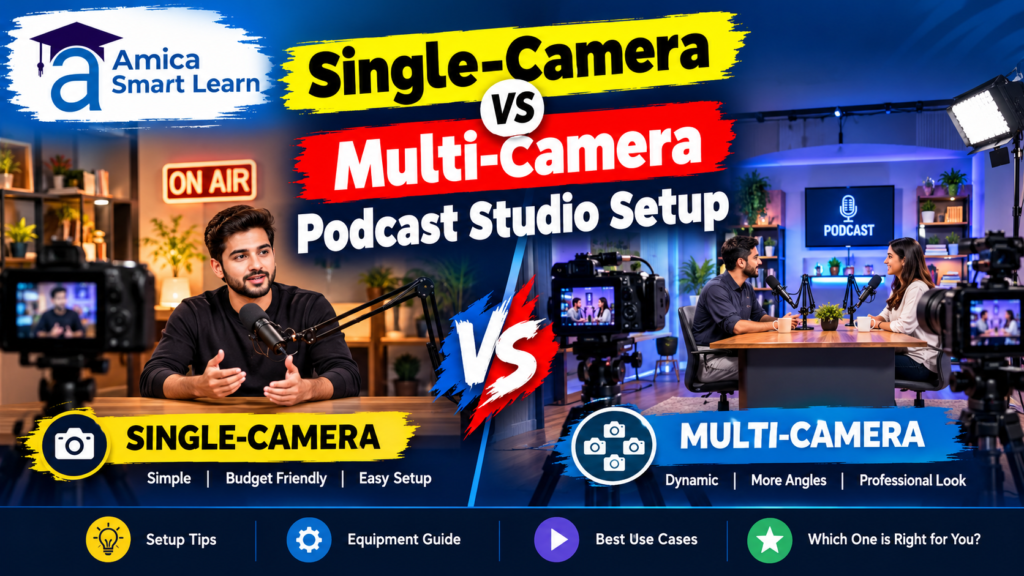
Podcasting has evolved from a simple audio-only medium into a dynamic visual platform. Today’s content creators face a critical decision: should you invest in a single-camera setup or a multi-camera podcast studio setup? This choice significantly impacts production quality, operational complexity, and budget requirements.
When choosing between a single-camera and multi-camera podcast studio setup, creators must evaluate their content goals, audience preferences, and available resources. According to recent podcasting trends, video podcasts receive 2-3x more engagement than audio-only formats, making camera selection crucial for success.
Whether you’re launching your first podcast or scaling an existing show, understanding the differences between these setups helps you make an informed decision that aligns with your vision and technical capabilities.
A single-camera podcast studio setup in Amica Smart Learn uses one primary camera to capture your entire podcast recording session. This configuration represents the foundation of modern podcast production, providing simplicity without sacrificing quality.
Key Characteristics:
Single-camera podcast studio setups work exceptionally well for solo host shows, guest interviews, or educational content where visual variety isn’t the primary focus. This approach emphasizes content quality over production sophistication, allowing creators to concentrate on their message delivery rather than camera management.
A multi-camera podcast studio setup employs multiple cameras positioned at different angles to capture various perspectives simultaneously. This configuration represents the gold standard for professional podcast production environments.
Multi-camera podcast studio setups enable broadcasters to create television-quality content directly from their studios. This approach particularly benefits interview-based shows, panel discussions, and live streaming events where dynamic visual storytelling enhances audience engagement.
| Feature | Single-Camera Setup | Multi-Camera Setup |
|---|---|---|
| Equipment Cost | $500-$2,000 | $3,000-$15,000+ |
| Setup Time | 15-30 minutes | 45-90 minutes |
| Operational Complexity | Low | High |
| Visual Variety | Limited | Extensive |
| Learning Curve | Beginner-friendly | Requires training |
| Live Streaming Capability | Basic | Professional-grade |
| Storage Requirements | Minimal | Significant |
| Post-Production Time | Moderate | Extended |
| Scalability | Limited | Highly scalable |
| Best For | Solo hosts, education | Interviews, live events |
Building an effective single-camera podcast studio setup requires strategic equipment selection. Here’s what you’ll need:
Essential Equipment:
Optional Enhancements:
A professional multi-camera podcast studio setup demands comprehensive equipment investments and technical infrastructure.
Core Equipment:
| Cost Category | Single-Camera | Multi-Camera |
|---|---|---|
| Initial Investment | $1,000-$2,500 | $5,000-$15,000 |
| Camera(s) | $300-$1,500 | $2,000-$5,000 |
| Audio Equipment | $250-$500 | $500-$1,200 |
| Lighting | $150-$800 | $800-$3,000 |
| Switching/Monitoring | $0-$300 | $1,000-$3,000 |
| Installation | DIY (Free) | Professional ($500-$2,000) |
| Annual Maintenance | $100-$300 | $500-$1,500 |
| Monthly Operational Cost | $30-$100 | $100-$300 |
Total 3-Year Investment:
Single-camera podcast studio setups undeniably require less technical expertise and operational overhead. A single creator can manage all aspects independently—positioning, framing, recording, and streaming—without external assistance.
Operational Advantages of Single-Camera Setups:
However, a multi-camera podcast studio setup demands dedicated technical operators or sophisticated automation systems. Live streaming scenarios particularly require skilled professionals managing camera transitions, audio mixing, and quality monitoring simultaneously. This complexity necessitates either substantial training investment or hiring experienced technical staff.
Video quality differences between single and multi-camera setups depend less on camera quantity than on individual camera specifications and lighting conditions.
Single-Camera Advantage: High-quality cameras (Sony A6700, Canon R5) can match or exceed multi-camera video quality when properly positioned and lit. Viewers often don’t consciously track camera numbers; instead, they notice:
Multi-Camera Advantage: Dynamic camera switching and varying perspectives naturally enhance viewer engagement. Research shows that switching between camera angles every 5-15 seconds maintains audience attention better than static single-camera footage.
Engagement Metrics:
For interview-based content and two-person podcasts, multi-camera podcast studio setups deliver superior storytelling capabilities. Here’s why:
Interview-Specific Benefits:
Single-camera setups can still produce quality interview content through clever framing, but you’ll sacrifice dynamic visual storytelling and must work within compositional constraints.
Recommendation:
Interview podcasters with modest budgets should consider a hybrid approach: primary host camera plus one secondary camera, providing multi-angle capabilities without full professional-grade complexity.
Educational podcasts benefit significantly from single-camera podcast studio setups when properly optimized.
Educational Content Advantages of Single-Camera:
Educational institutions increasingly leverage single-camera podcast studio setups for online course production, lecture recording, and knowledge distribution because the content itself (slides, demonstrations, instructor expertise) drives engagement rather than camera variety.
Multi-camera podcast studio setups excel for live streaming applications where real-time production decisions matter. Professional live streaming requires:
Single-camera setups can successfully stream live content, particularly for solo hosts or simple presentations, but they cannot match the production sophistication and audience engagement capabilities of professional multi-camera streaming environments.
Live Streaming Success Factors:
Your ideal single-camera vs multi-camera podcast studio setup depends on five critical factors:
1. Content Format
2. Budget Reality
3. Production Frequency
4. Growth Projections
5. Technical Expertise
Strategic planning ensures your podcast studio investment aligns with long-term goals.
Planning Process:
Phase 1: Assess Requirements (Week 1)
Phase 2: Equipment Research (Week 2-3)
Phase 3: Layout and Design (Week 3-4)
Phase 4: Installation and Testing (Week 4-5)
Strategic upgrading preserves initial investments while expanding capabilities.
Upgrade Path (12-Month Timeline):
Month 1-2: Assessment
Month 3-4: Primary Expansion
Month 5-6: Audio Enhancement
Month 7-9: Lighting Optimization
Month 10-12: Final Integration
| Aspect | Single-Camera Pros | Single-Camera Cons | Multi-Camera Pros | Multi-Camera Cons |
|---|---|---|---|---|
| Cost | Budget-friendly, DIY-capable | Limited upgrade path | Scalable quality | Substantial investment |
| Operation | Simple, one-person operation | Limited dynamic content | Professional results | Requires trained operators |
| Learning | Beginner-friendly, quick start | Limited creative options | Extensive capabilities | Steep learning curve |
| Engagement | Suitable for education | Lower viewer retention | Higher engagement metrics | Complexity overhead |
| Streaming | Live streaming possible | Basic quality only | Professional streaming | Requires more infrastructure |
| Space | Compact, flexible | Visual monotony | Impressive production | Demands larger footprint |
| Maintenance | Minimal upkeep | Limited growth potential | Full professional control | Ongoing maintenance requirements |
The single-camera vs multi-camera podcast studio setup decision fundamentally shapes your content production capabilities, budget allocation, and operational workflow. Neither option represents a universally “correct” choice; instead, your ideal setup reflects your specific content goals, audience expectations, technical expertise, and financial resources.
Choose a single-camera podcast studio setup when:
Invest in a multi-camera podcast studio setup when:
A: Absolutely. Professional single-camera podcast studio setups can match multi-camera quality when utilizing premium cameras, professional lighting, and quality audio equipment. The content and production values matter more than camera quantity.
A: Professional installation usually takes 2-3 days for a complete setup, including infrastructure, cable management, and system testing. DIY installations may extend to one week.
A: Entry-level multi-camera setups cost approximately $3,000-$5,000, including cameras, basic switcher, and essential audio equipment.
A: Professional multi-camera streaming requires minimum 10 Mbps upload speed. Streaming at 4K resolution demands 25+ Mbps for reliable performance.
A: Modern professional equipment generally includes compatibility features, but verify HDMI/SDI standards, audio input compatibility, and power supply specifications before purchasing additional components.